This article explains how to find the sitemap for your Refari-built website. A sitemap is a file that lists every page on your site, which search engines read to discover your pages and understand how the site fits together. Refari websites generate one automatically through the Rank Math plugin, so you never have to build it by hand, you just need to know where to find it.
When you will need it
- submitting your site to Google Search Console or Bing Webmaster Tools
- checking that a new page has been picked up
- handing your site structure to an SEO agency or consultant
How to find your sitemap
Step 1: Open your website dashboard
Log in to your Refari website and go to the WordPress dashboard.

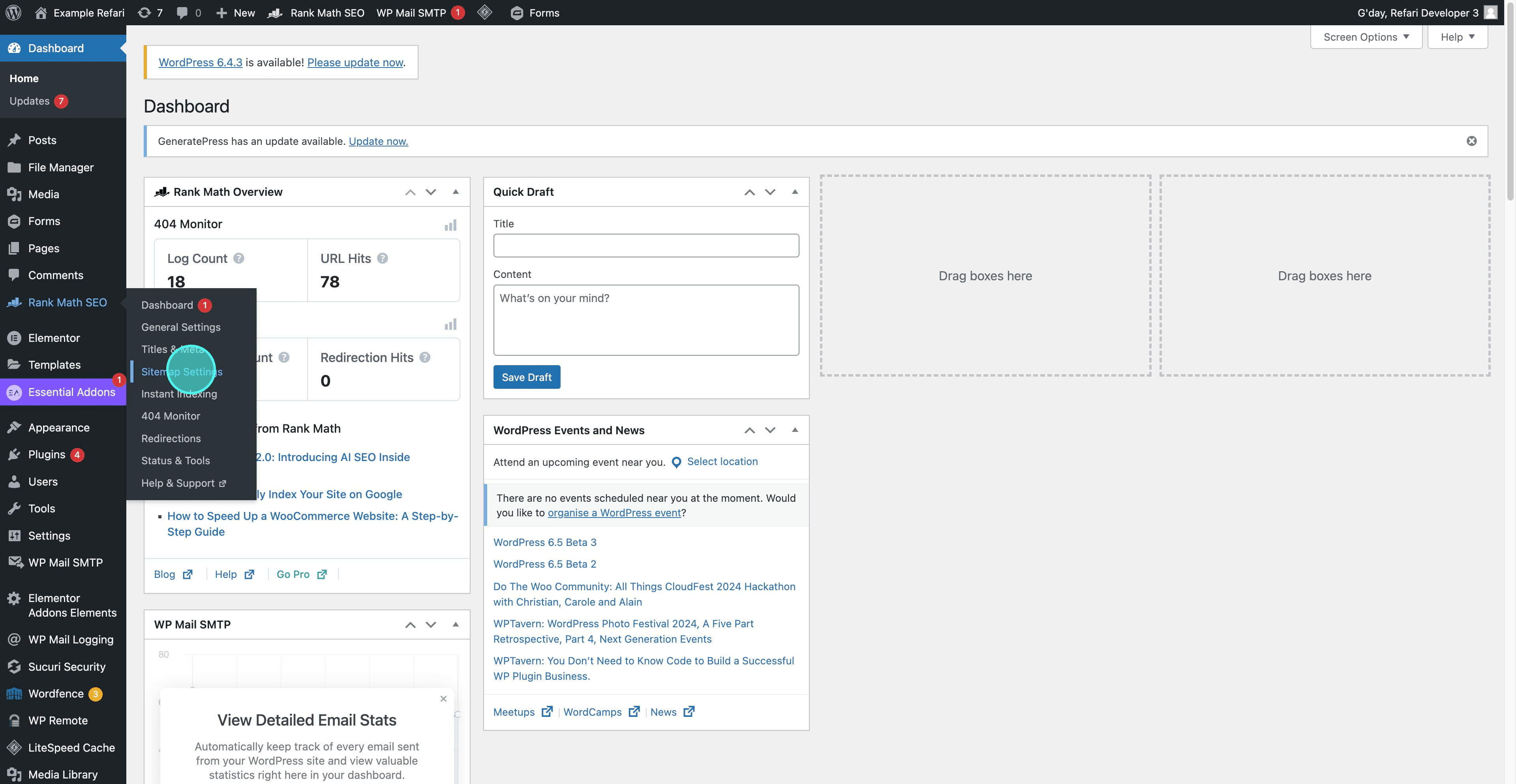
Step 2: Go to Rank Math, then Sitemap
Hover over Rank Math in the side panel and select Sitemap from the dropdown.
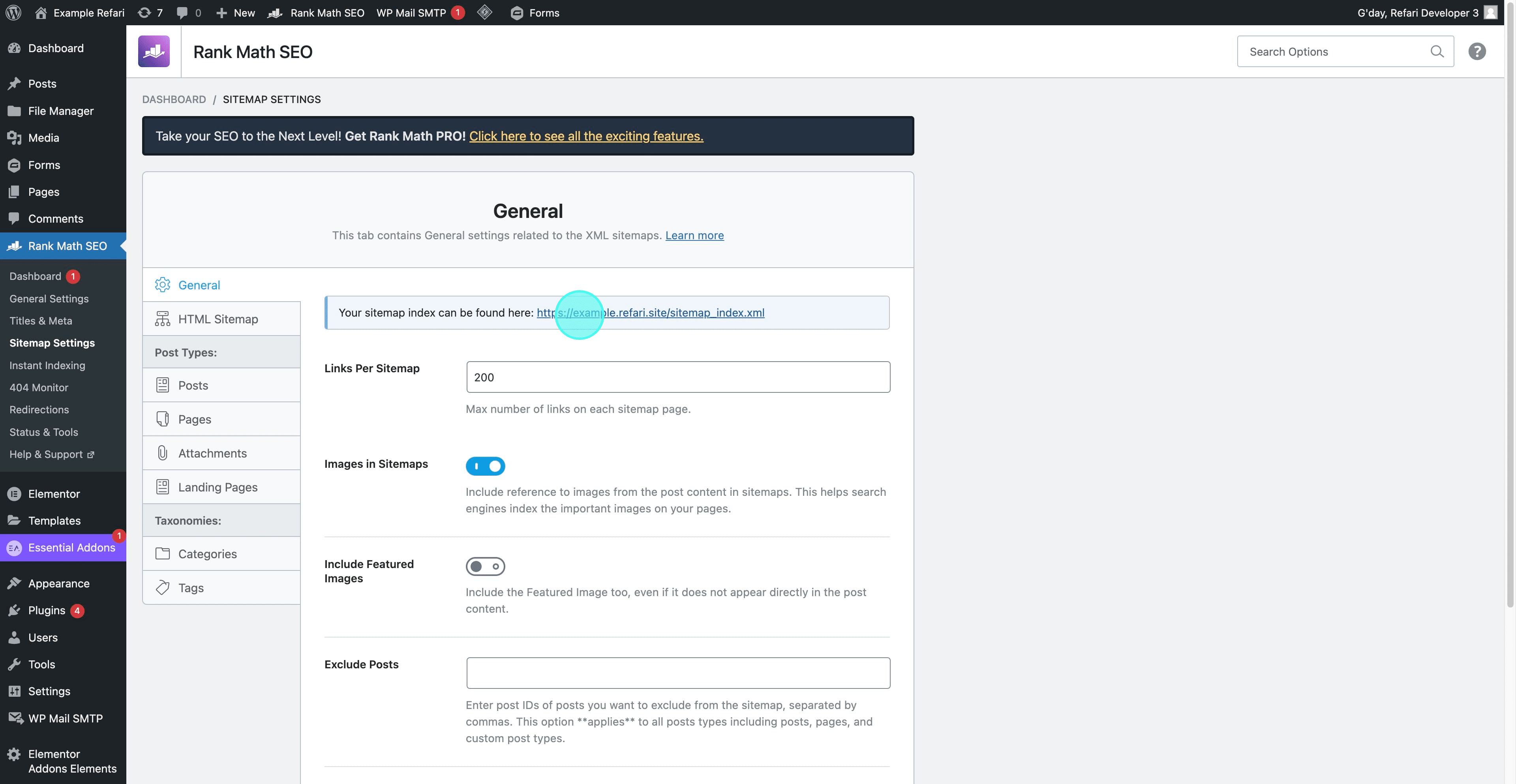
Step 3: Open the sitemap link
On the General tab, click the sitemap link. It follows the pattern https://yourwebsite.com/sitemap_index.xml.
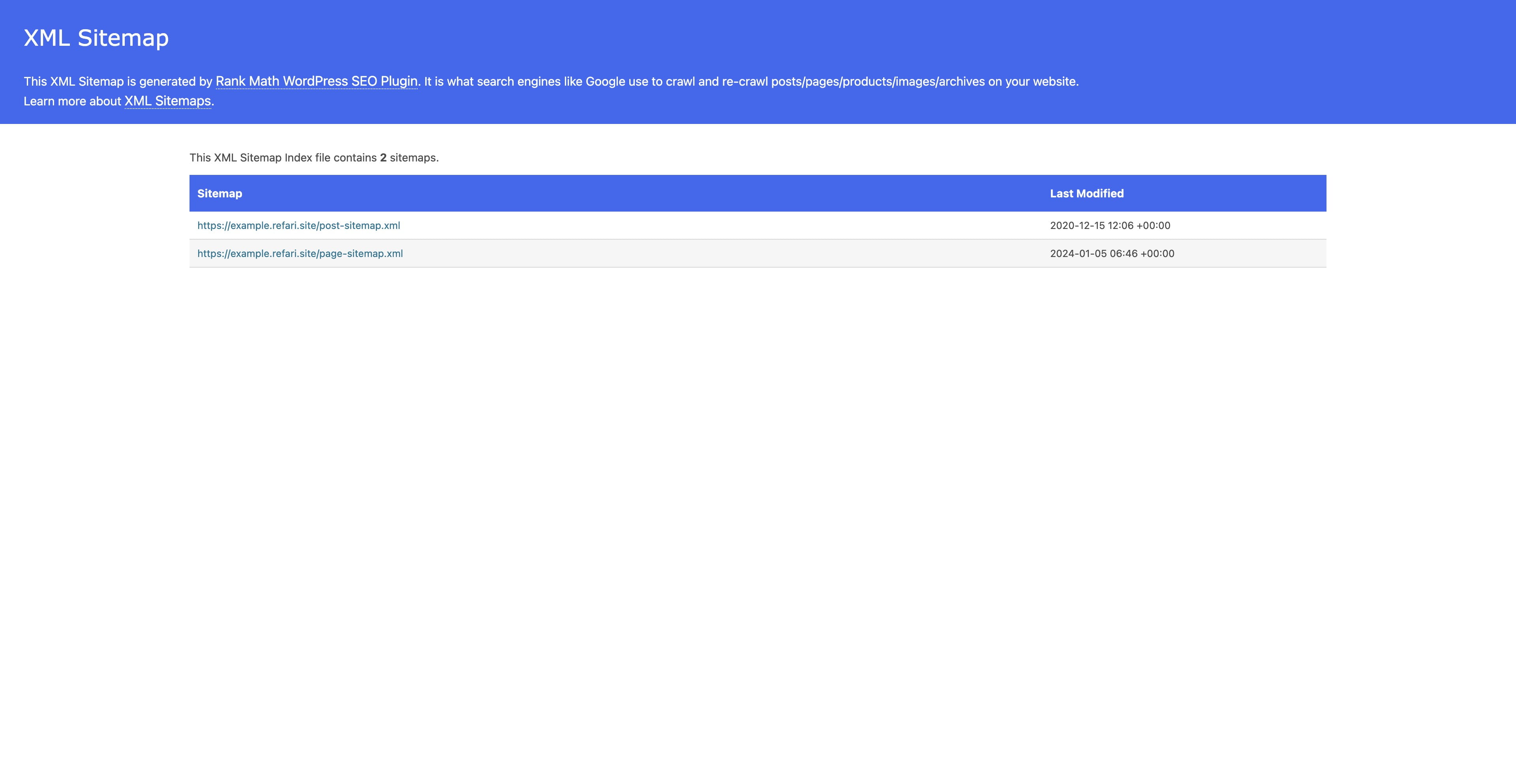
Step 4: Copy the sitemap address
Your sitemap opens in the browser. The address in the bar is what you submit to search engines or share with whoever is doing your SEO.
Note: the sitemap updates itself. You do not need to regenerate it after publishing a new page, though it can take search engines a while to re-read it.Tip: having the sitemap is only half the job. Submitting it to Google Search Console is what gets your pages crawled sooner: see Guide to Requesting Rapid Indexing in Google Search Console.Other articles you might be interested in:
Was this article helpful?
That’s Great!
Thank you for your feedback
Sorry! We couldn't be helpful
Thank you for your feedback
Feedback sent
We appreciate your effort and will try to fix the article