This article explains how to stop a single page on your Refari-built website from appearing in search results. No Index is an instruction in the page's HTML telling search engines not to list it. The page still works normally and anyone with the link can open it: it simply will not show up in Google.
When you would use it
| Situation | Why you would hide the page |
|---|---|
| Under development | The page is unfinished and not ready to be found |
| Duplicate content | Several near-identical pages that could confuse search engines |
| Private information | Content that should not be publicly discoverable |
| Thank you and confirmation pages | Only meaningful straight after a form submission |
| Outdated content | Still needed for reference, but not something to surface |
Before you start
- You need to be logged in to your website with an Administrator role: see How to login on your Refari Website.
- Every Refari website uses the same tested plugin set, and the plugin for this is Rank Math SEO. It is already installed, so there is nothing to add.
How to set a page to No Index
Step 1: Open the page for editing
Visit the page on your site and click Edit Page in the top bar.

Step 2: Or find it in the dashboard
Alternatively, go to Pages in your dashboard, find the page and click Edit.
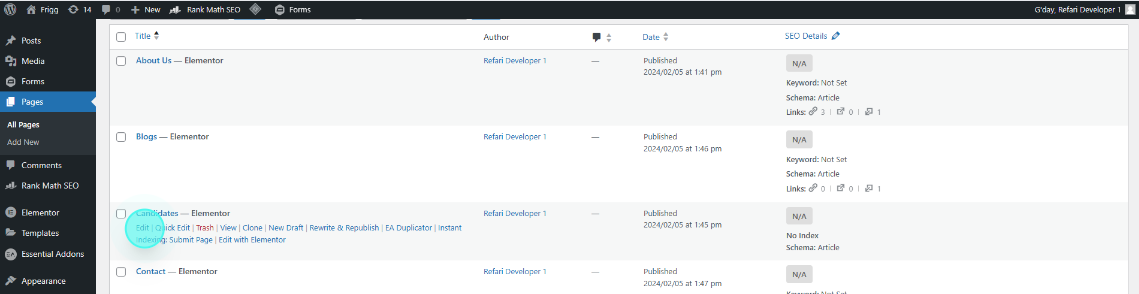
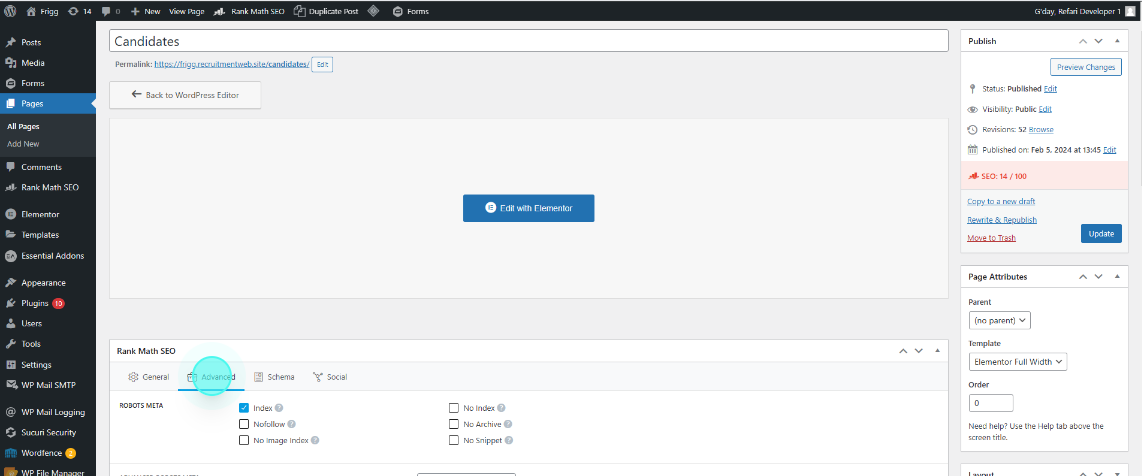
Step 3: Open the Rank Math Advanced tab
With the page open, scroll to the Rank Math SEO settings and click the Advanced tab.
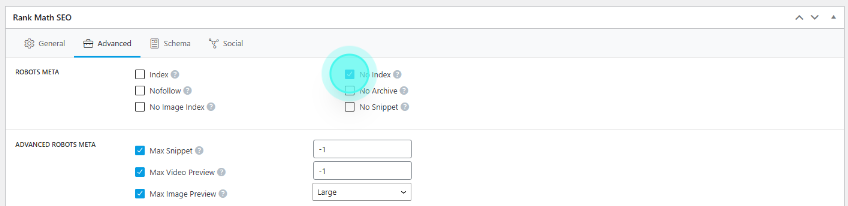
Step 4: Tick No Index
Tick the No Index checkbox.
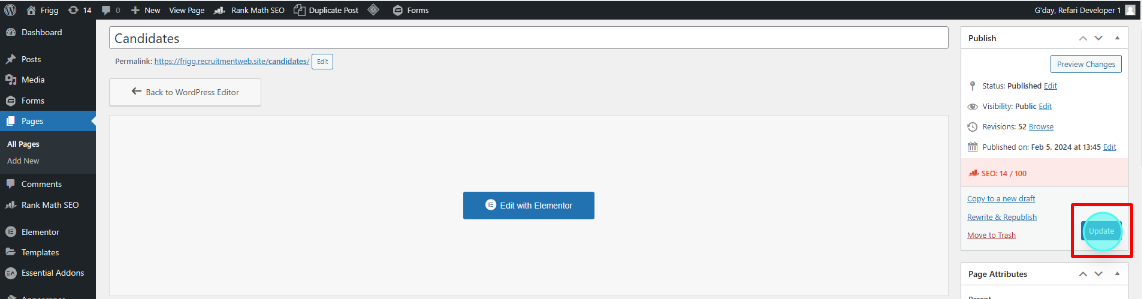
Step 5: Update the page
Click Update to save.
Done: the page is now marked No Index and will drop out of search results.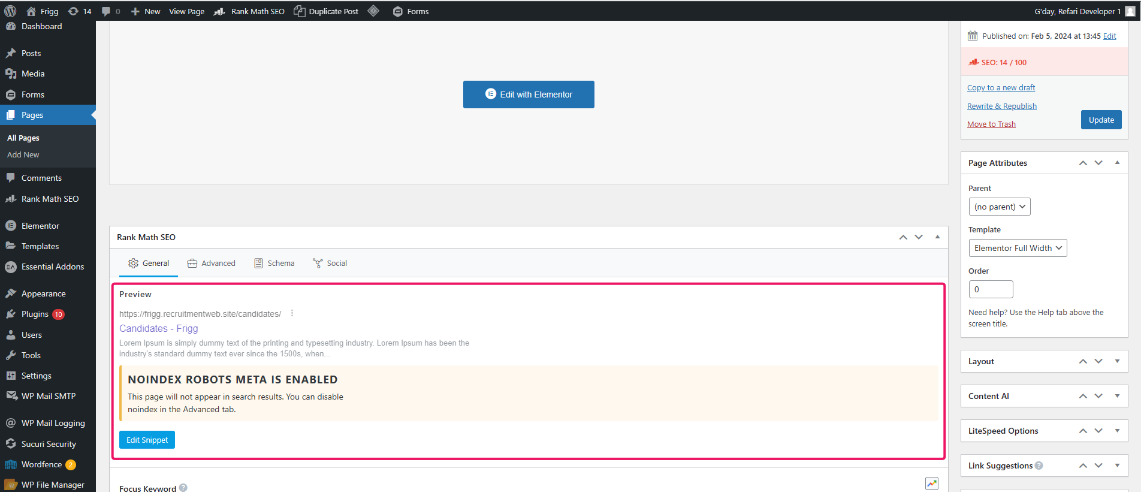
Note: this is not instant. Search engines have to re-crawl the page before they act on it, which can take days or weeks. No Index also does not make a page private: anyone with the URL can still open it.Other articles you might be interested in:
Was this article helpful?
That’s Great!
Thank you for your feedback
Sorry! We couldn't be helpful
Thank you for your feedback
Feedback sent
We appreciate your effort and will try to fix the article