This article explains how to use the Featured Job capability in Refari: what it does, who can use it, how to turn it on, and how a featured job then appears to visitors on your job board.
A featured job is a job advert you have chosen to highlight. Refari pins it to the top of your public job board (the careers board on your website, open to anyone) and marks it with a gold star and a "Featured" label, so your highest-priority roles are the first thing a visitor sees.
Who can feature a job
Featuring a job is available to Company Admins and Company Managers. Company Members do not see the control. The toggle is also unavailable on a job that has expired, so the advert needs to be live before you can feature it.
How to feature a job
You set this from your Refari dashboard, on the job advert itself.
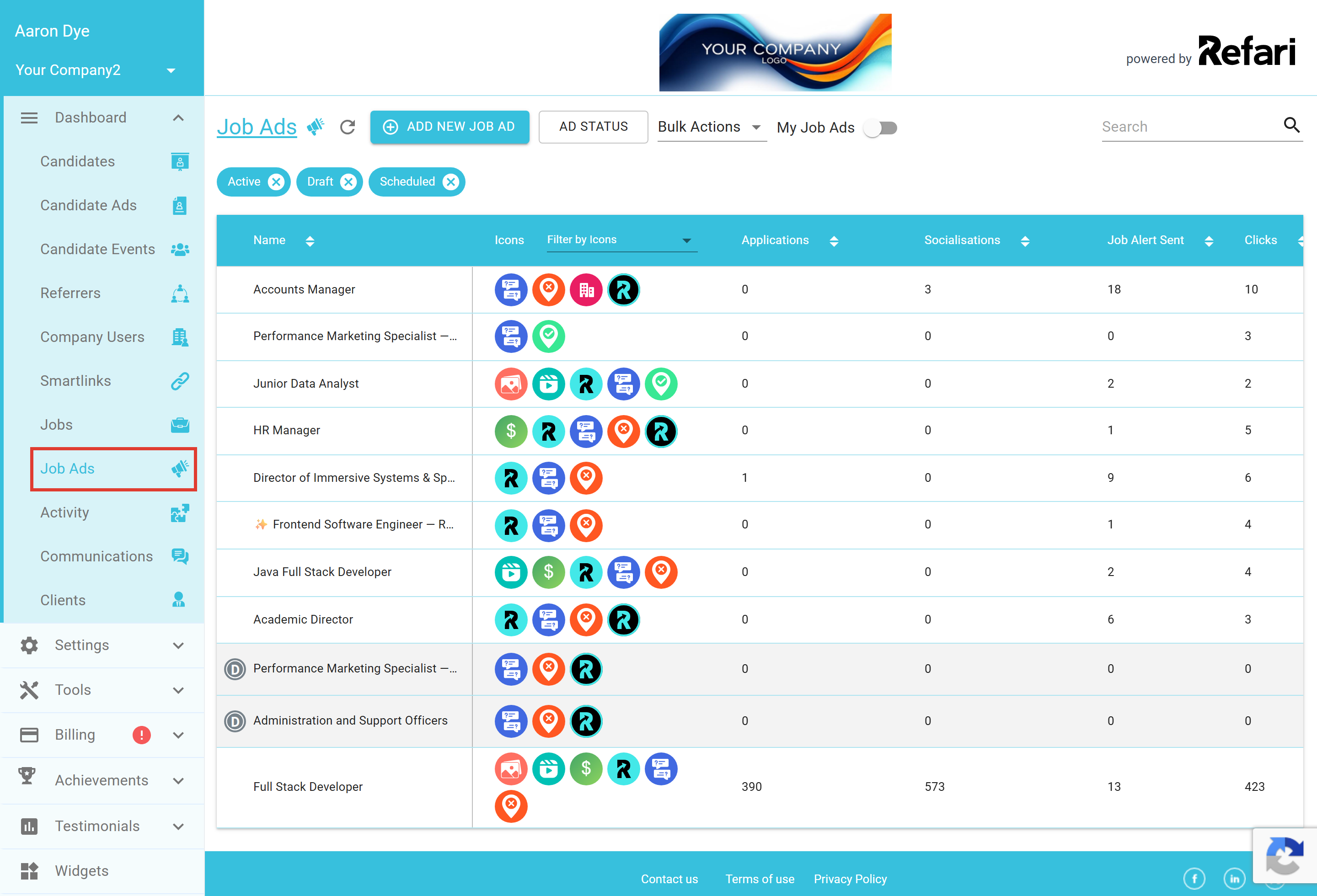
- From the left-hand menu, go to Jobs > Job Ads to open the list of your live adverts.
- Click the advert you want to highlight to open its details page.
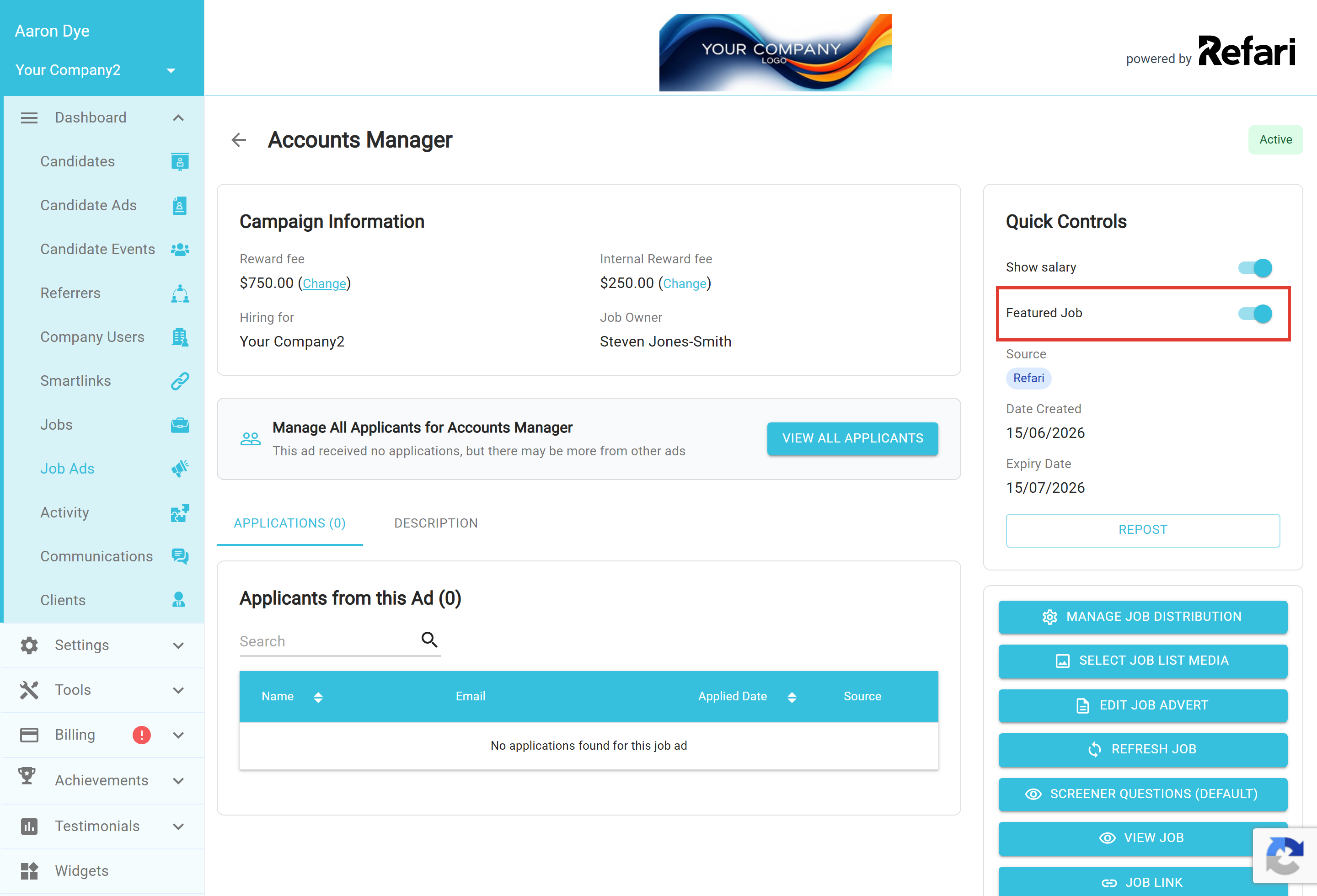
- In the Quick Controls panel on the right, switch Featured Job on. The change saves straight away and you will see a "Job has been updated" confirmation.
On the advert's details page, the Featured Job toggle sits in the Quick Controls panel, just below "Show salary".
You're done. The advert is now featured. To stop featuring it later, open the same advert and switch Featured Job back off.
Note: You can feature a maximum of three job adverts at any one time. If three are already featured and you try to feature a fourth, Refari will show you the current three and ask you to deselect one to make room. This keeps the top of your board focused on a small number of priority roles.
How a featured job appears on your board
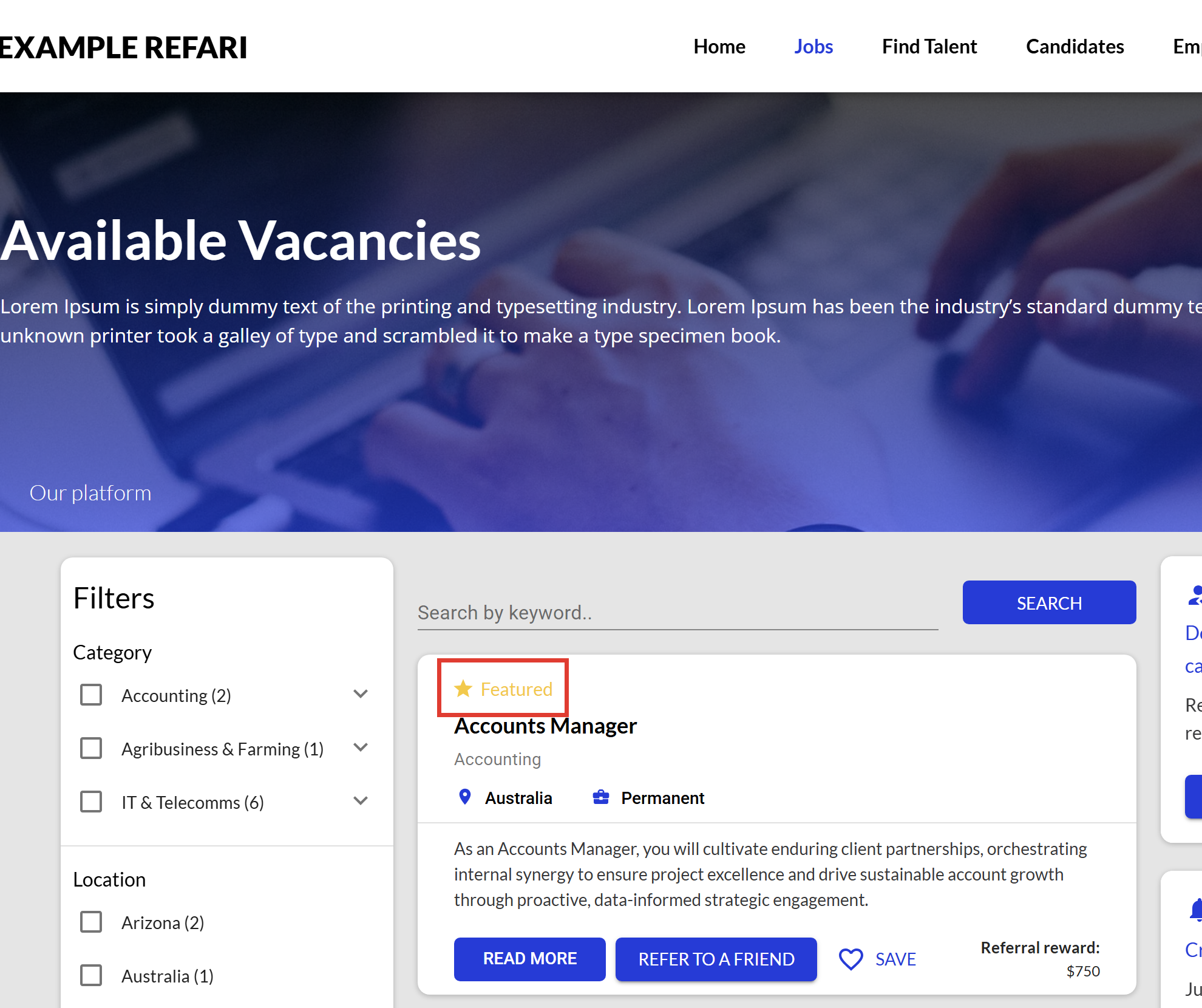
On your public job board, featured adverts are pulled to the top of the list and carry a gold star with a Featured label above the job title. Visitors see your priority roles first, before the rest of your live adverts.
Final Notes
Featuring works best when you keep it for your genuinely high-priority roles and rotate it as those roles fill, rather than leaving the same three adverts featured indefinitely. Because only three can be featured at once, it stays a strong signal to visitors about what matters most right now.
Other articles you might be interested in: How to 'Feature' a Candidate Advert on your Talent Board | How to post a job advert from JobAdder to Refari
Was this article helpful?
That’s Great!
Thank you for your feedback
Sorry! We couldn't be helpful
Thank you for your feedback
Feedback sent
We appreciate your effort and will try to fix the article