This article explains how to feature a candidate advert on your Talent Board. Your Talent Board is the public page where you market your available candidates to potential employers, and featuring an advert pins it to the top of that page with a Featured stamp, so your strongest candidates are the first thing a visitor sees.
What featuring does
Featuring works the same way for candidates as it does for jobs. A featured advert:
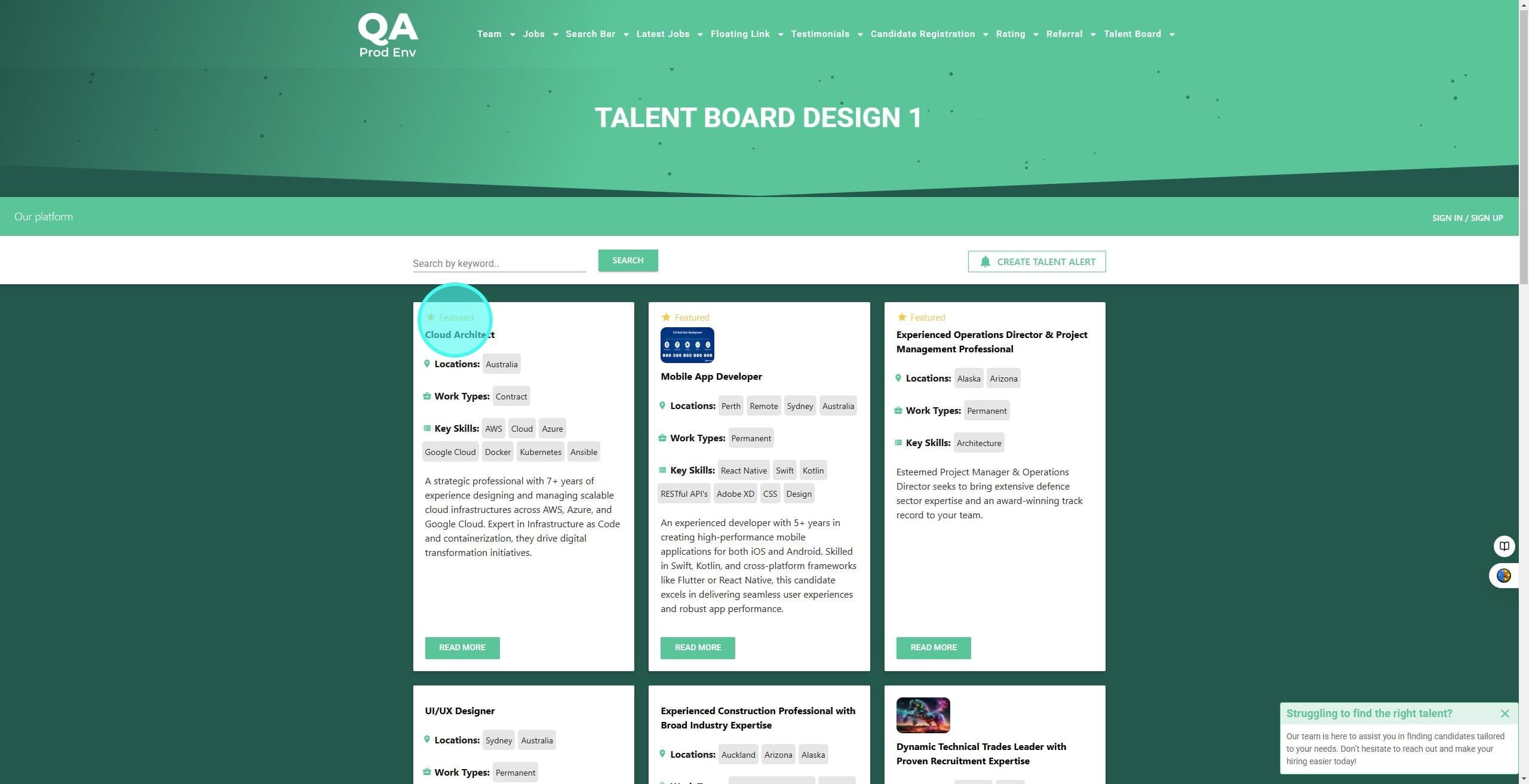
- carries a Featured stamp, a white star in a purple circle
- always appears at the top of your Talent Board, above the other adverts
- keeps that position until you unfeature it
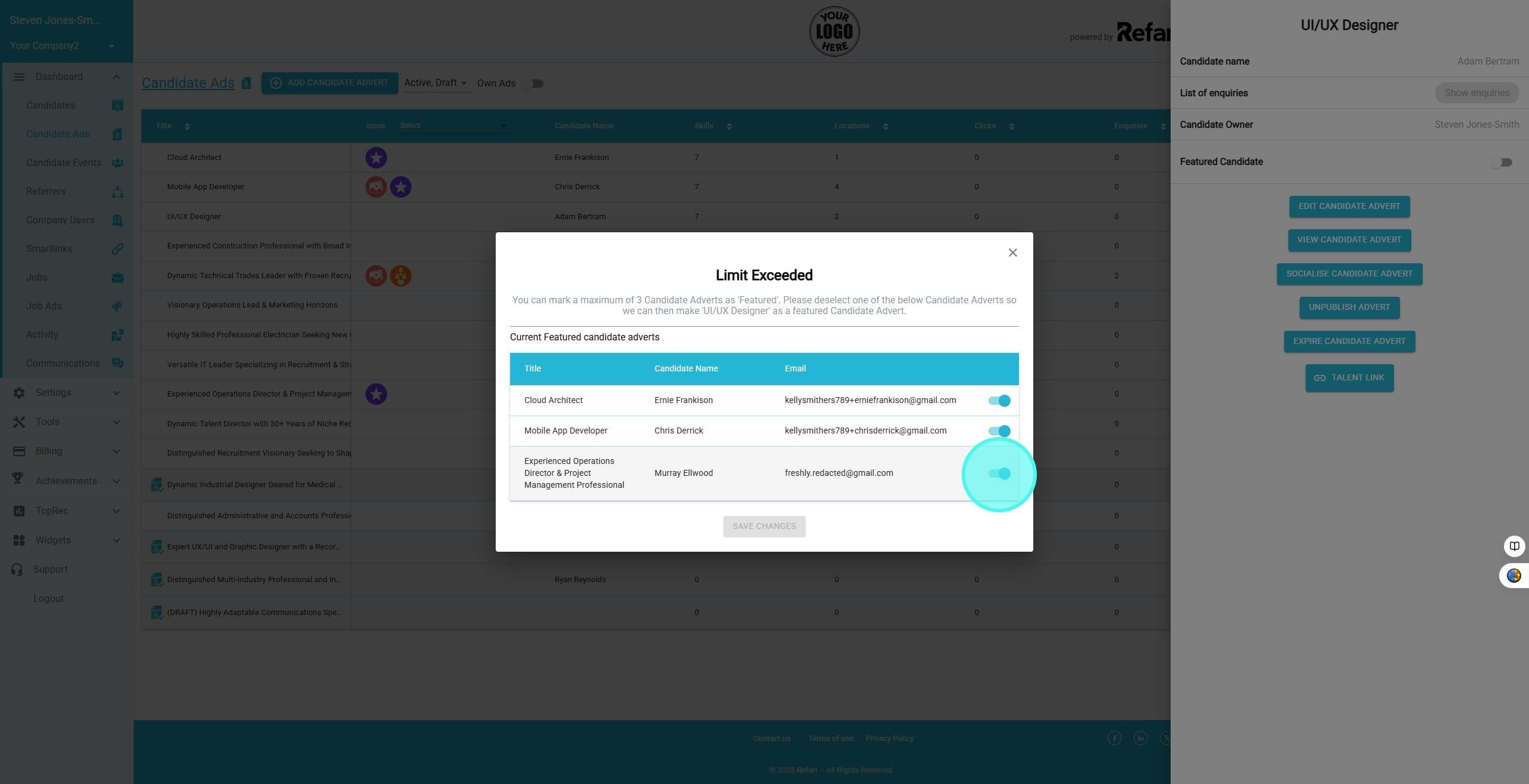
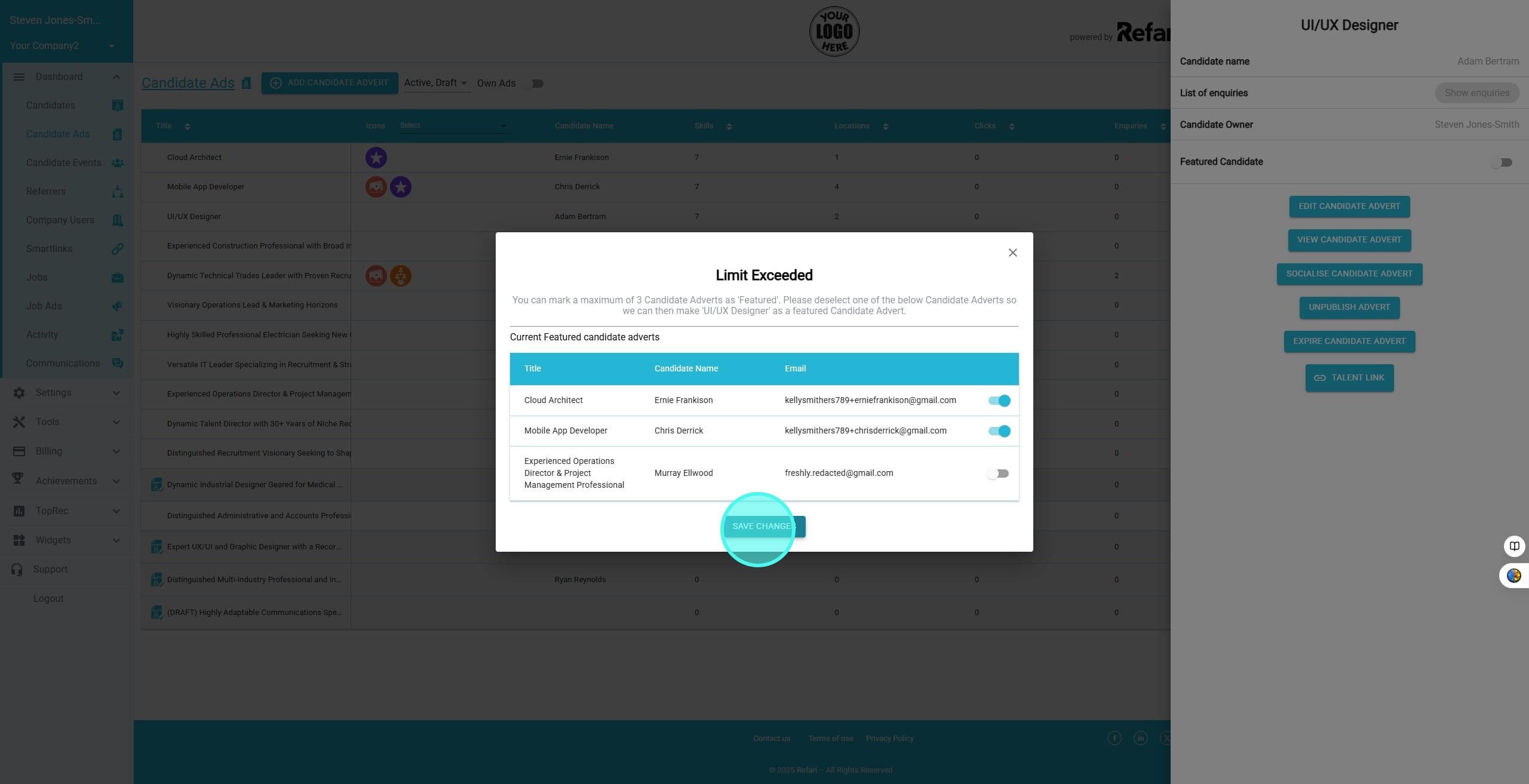
Note: you can feature a maximum of three candidate adverts at any one time. If you already have three and want to feature a fourth, Refari asks you to unfeature one first.How to feature a candidate advert
Step 1: Open your Talent Board to see the current featured adverts
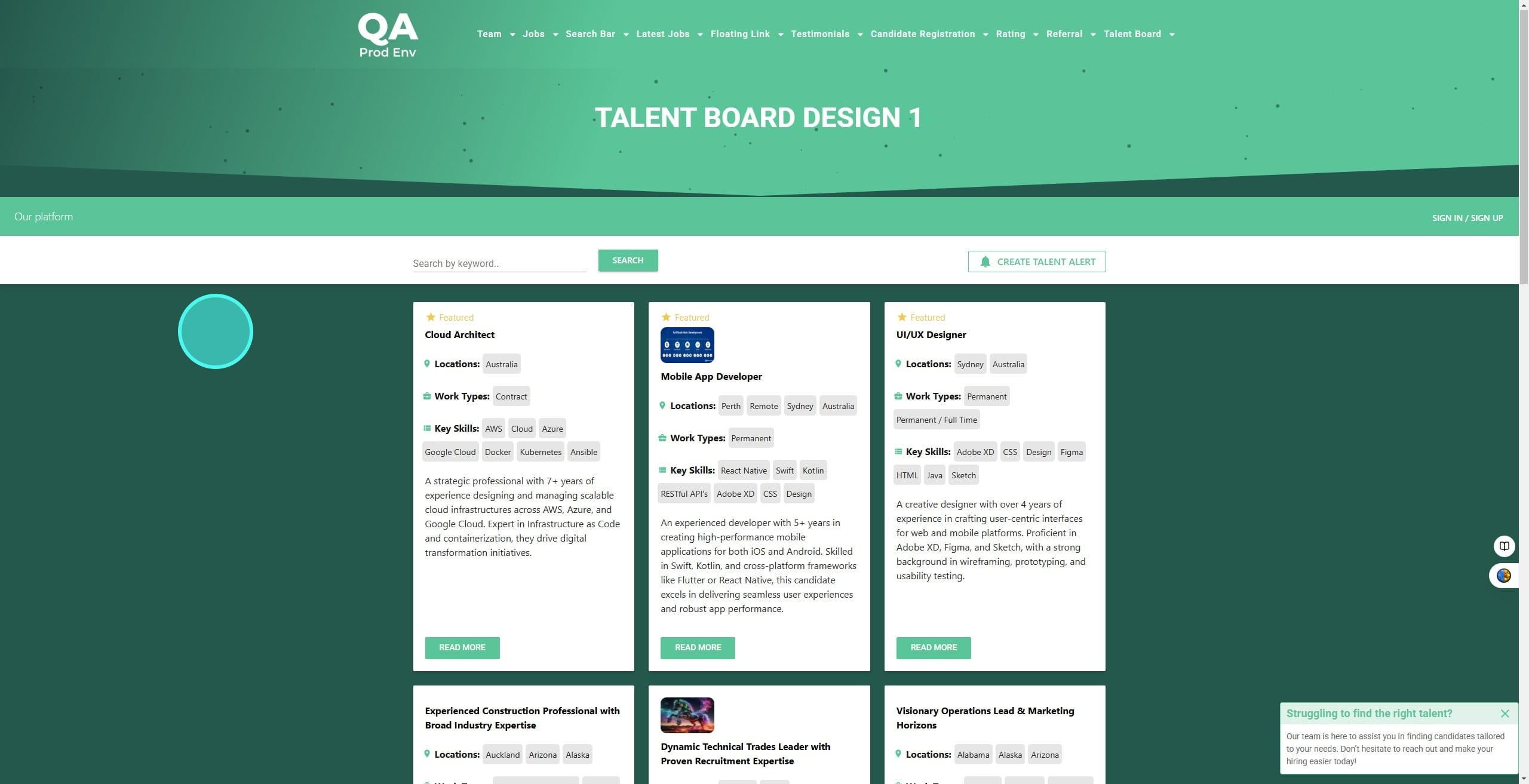
In this example three candidate adverts are currently featured. Each one carries the Featured stamp and sits at the top of the Talent Board, above everything else.
Step 2: Find the advert you want to feature
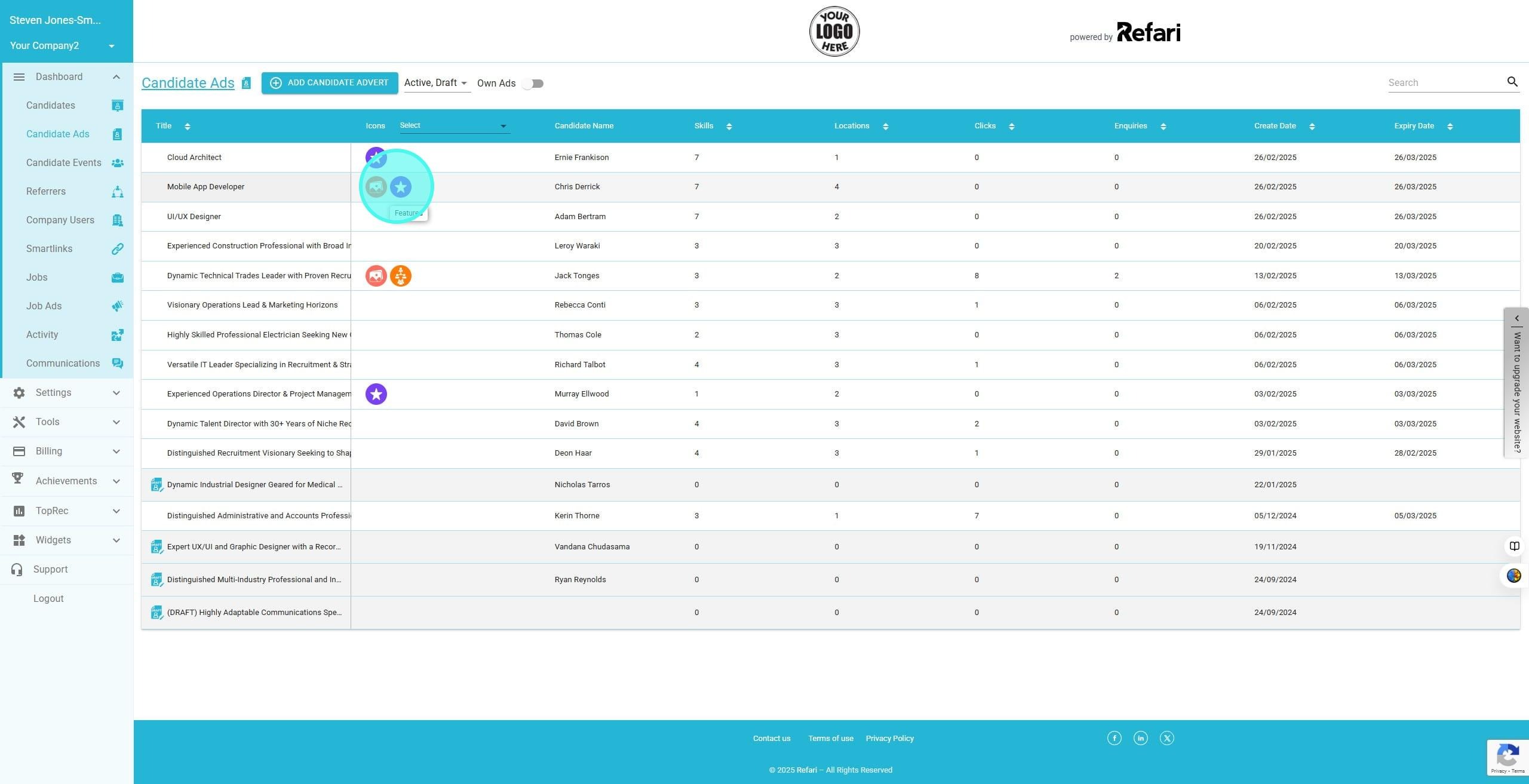
In your Refari dashboard, go to Candidate Ads and click the row of the advert you want to feature.
Step 3: Turn on the Featured Candidate toggle
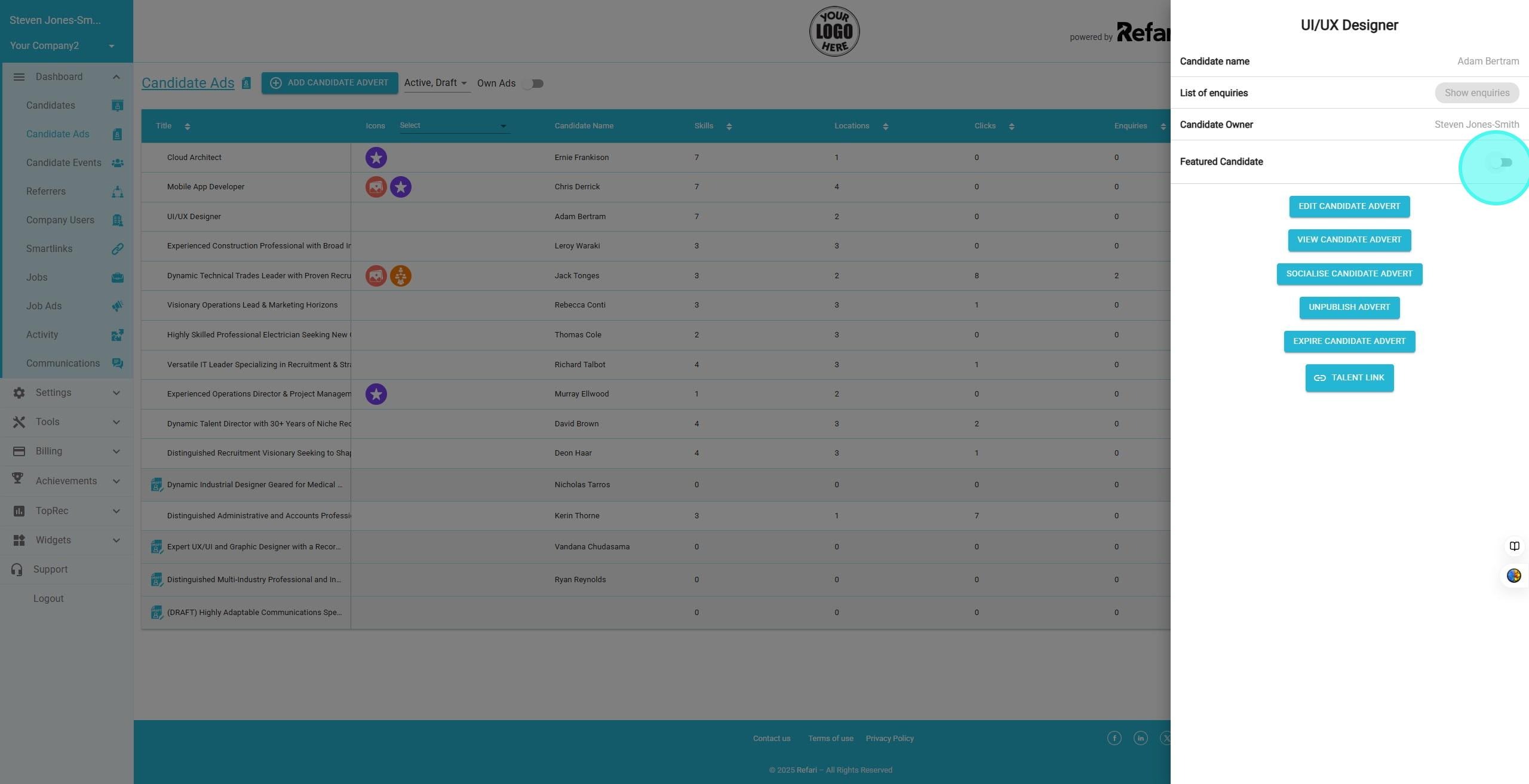
The advert opens in a side panel. Switch on the Featured Candidate toggle.
Step 4: Make room if you already have three
Three featured adverts is the maximum. If you already have three, Refari asks you to free up a slot: click the toggle of the advert you no longer want featured to deselect it.
Step 5: Save your changes
Click Save Changes to confirm.
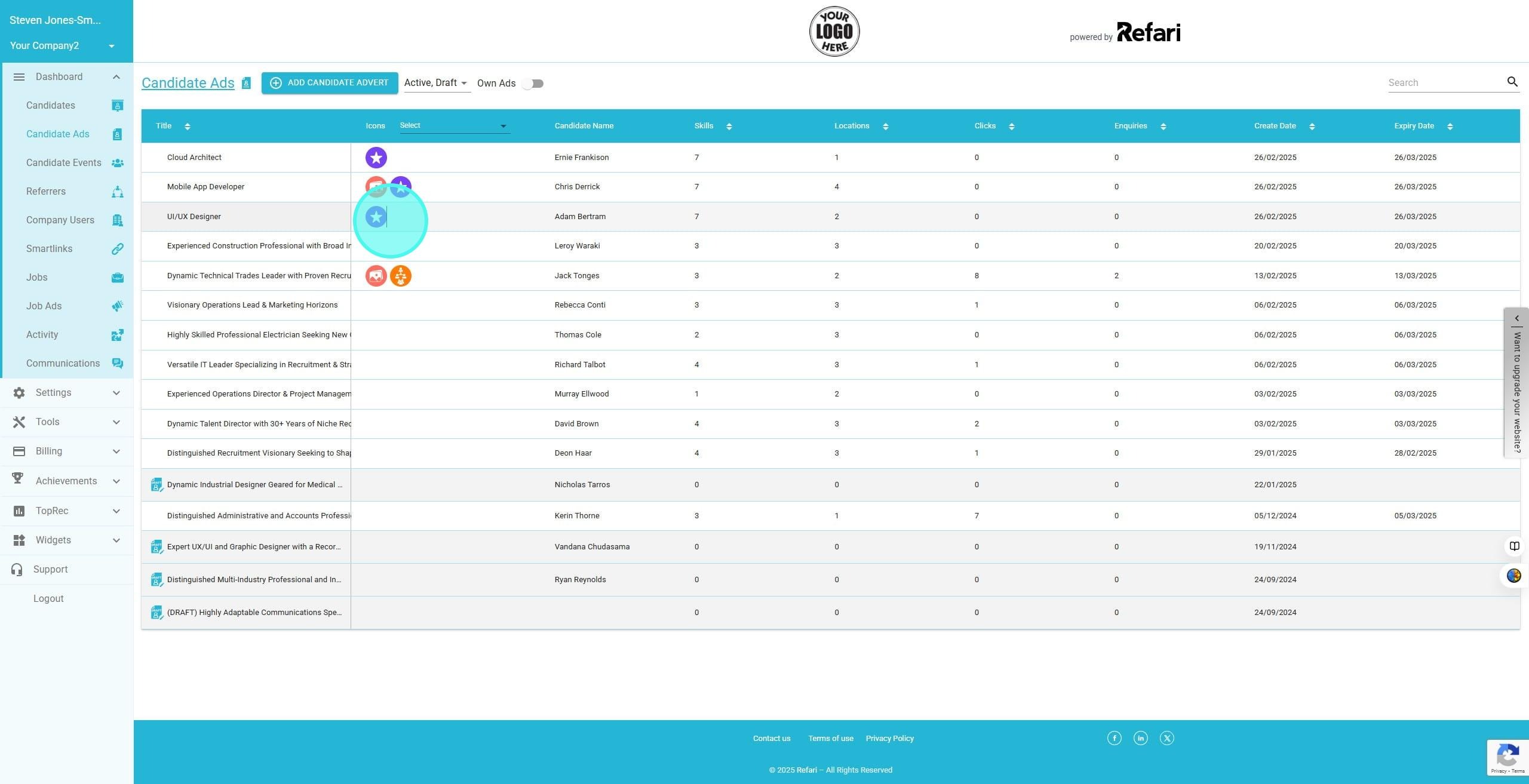
Step 6: Check the featured icon has moved
The Featured icon, a white star in a purple circle, now sits against the advert you just promoted.
Step 7: See the change on your Talent Board
Your Talent Board now shows the new advert in the third featured slot.
Spotting featured adverts in your dashboard
You do not have to open each advert to see which ones are featured. In your Candidate Ads tab, featured adverts are marked with the same icon.

Other articles you might be interested in:
Was this article helpful?
That’s Great!
Thank you for your feedback
Sorry! We couldn't be helpful
Thank you for your feedback
Feedback sent
We appreciate your effort and will try to fix the article