This article explains job advert skill tagging with AI in Refari: what it does, why it is worth turning on, how to switch it on, and the small fee involved. Skill tagging means automatically labelling a job advert with the skills the role calls for (for example JavaScript, SQL or stakeholder management), so the role carries that structured information without anyone typing it in by hand.
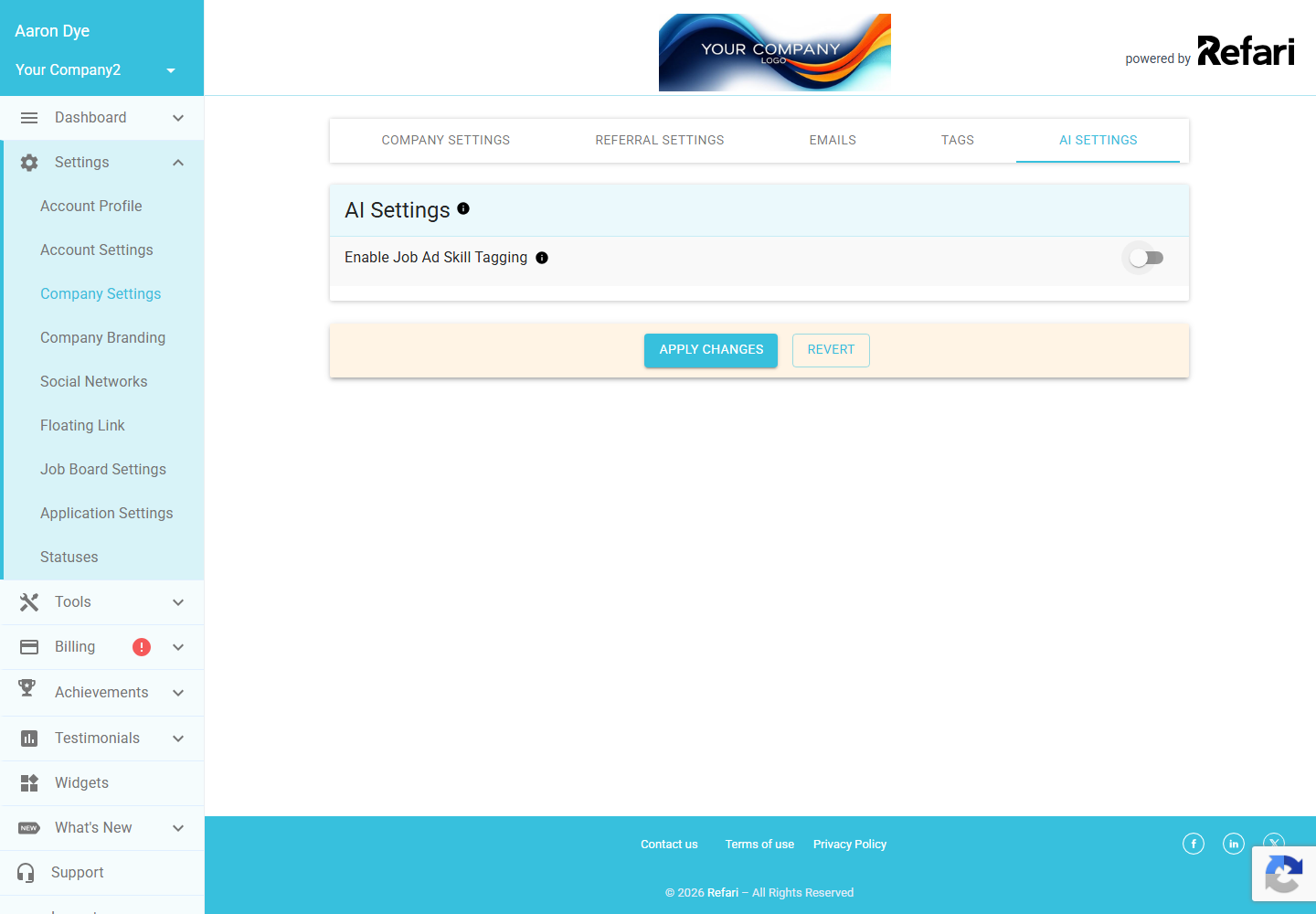
You will find the switch under Settings > Company Settings > AI Settings, where it is called Enable Job Ad Skill Tagging.
Note: Only a Company Admin can change this setting. A Company Manager can see the toggle but it is read-only, and other team members do not see the AI Settings tab at all. Your change is not saved until you click Apply Changes.How job advert skill tagging works
When the setting is on, Refari's AI reads the wording of each job advert and works out which skills the role is really asking for, then attaches them to the job as tags. Its tooltip sums it up: "Automatically tags job ads with relevant skills based on the ad's description." A developer role, for instance, might pick up tags such as JavaScript, SQL and project management, all derived from the description rather than entered manually.
What a skill-tagged job looks like
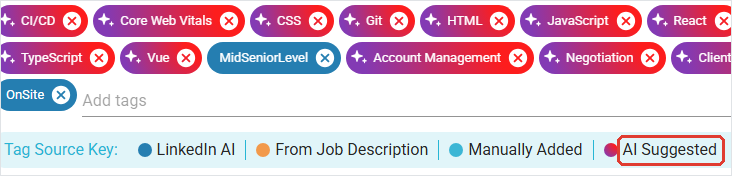
You can see the result on any job that has been tagged. Open a job from Job Ads, click Edit Job Advert, and scroll to the Tags section. The skills the AI has added appear as chips, each marked with a small star and a red-to-purple colour. The Tag Source Key beneath the chips explains what each colour means, including AI Suggested for the ones the AI added, sitting alongside any tags you added by hand or that came straight from the job description.
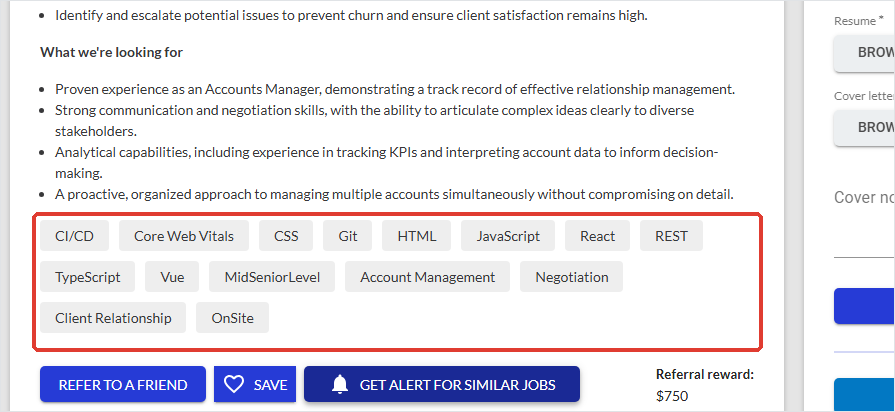
These are real tags on the job, so they also appear on your public job board. There they show as ordinary skill tags on the role: the colour coding and star are only in your dashboard, so a candidate simply sees a tidy list of skills on the job, as below.
Behind the scenes, those same tags do the heavy lifting described next.
Why turn it on
Skill tags are structured data that Refari uses behind the scenes to improve matching (lining the right people up with the right roles) and search. They also feed downstream features that expect rich job data, most notably the LinkedIn job wrapping tags.
Note: Beyond the tags you can see on the job, the real value of skill tagging is in the data underneath: it powers better matching and search, and it is what the LinkedIn job wrapping tags build on. So even the tags a candidate never stops to read are quietly working for you.The cost
A small charge applies each time the tagging runs on a job advert. The tab's own note puts it plainly: "Turning on these AI features will enable advanced tagging. A small fee applies per use, but this cost is minimal." Because the charge is per advert tagged, the cost simply scales with how many adverts you post. If you want to weigh it up first, your Refari contact can let you know what it works out to for your usage.
Turning it on
Go to Settings > Company Settings > AI Settings, switch Enable Job Ad Skill Tagging on, and click Apply Changes. Turning this on also unlocks the LinkedIn-specific tags: with skill tagging on, a second option appears for LinkedIn job wrapping tagging ↗.
Final Notes
Job advert skill tagging is a low-effort way to give your roles richer data for matching and for your LinkedIn feed, for a small per-use fee. Remember it only takes effect once you click Apply Changes, and that switching it off later also switches off LinkedIn job wrapping tagging.
Other articles you might be interested in: LinkedIn job wrapping tagging | Your AI Settings explained
Was this article helpful?
That’s Great!
Thank you for your feedback
Sorry! We couldn't be helpful
Thank you for your feedback
Feedback sent
We appreciate your effort and will try to fix the article